
POS system
One till for the counter, the phone, the tables and the internet
Take walk-in and phone orders with a few taps, start table orders from your tables and see your online orders in the same queue – on an Android tablet, a Windows PC or in the browser.
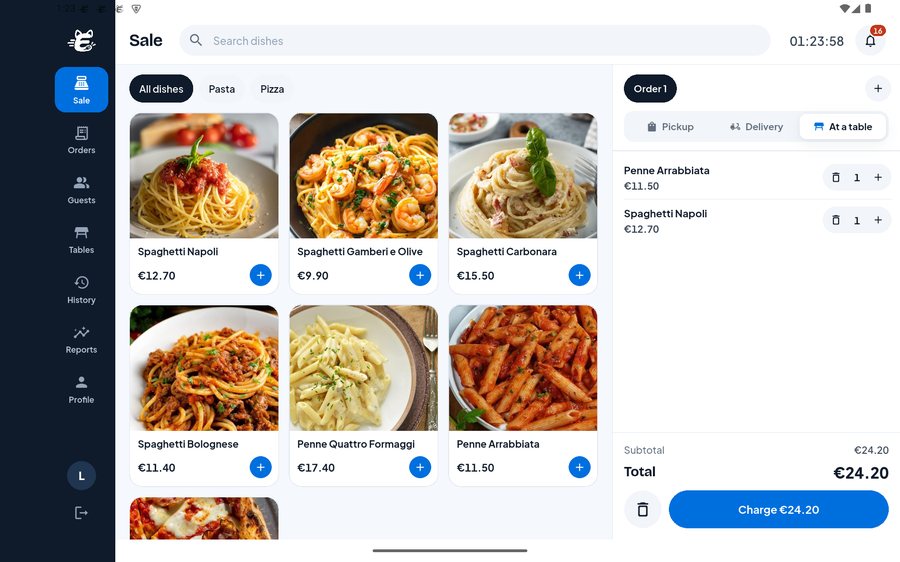
One tap per dish
Dish tiles with photos and prices. Dishes without choices go into the basket with a single tap.
Several baskets at once
Bag 1, Bag 2 and more – the second guest never waits for the first.
Pickup, delivery or at a table
Pick the order type at the till; delivery orders go on the same board as online orders.
Tables at a glance
Your tables by area. Tap a table to start its order – the table number is attached automatically.
Receipts
Guest receipt and kitchen ticket for 80 mm receipt printers, printed straight from the order.
Staff logins
Managers, waiters and cooks get their own login with only the screens they need – and a PIN to lock the till.
Reports
Know your day before your accountant does
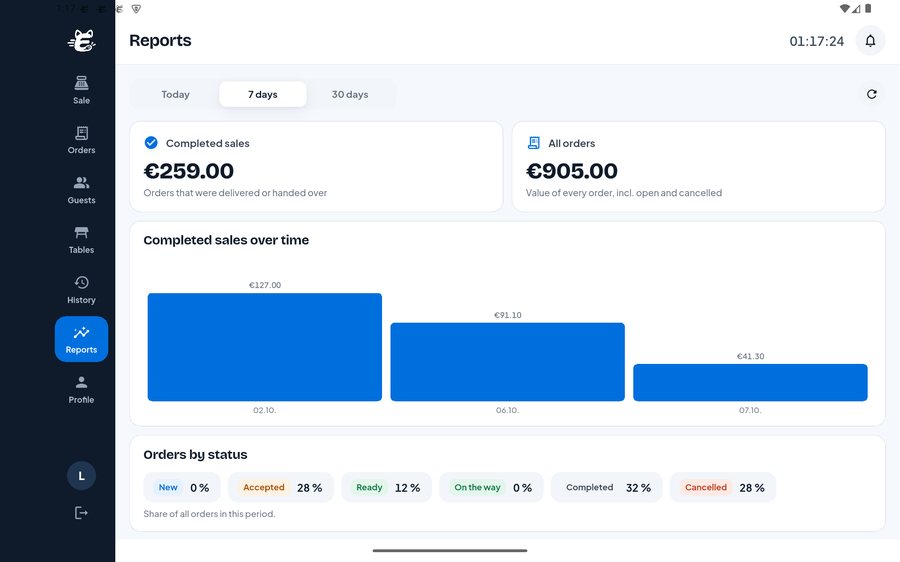
Completed sales, the value of all orders and a bar for every day – for today, the last 7 days or 30 days, right on the till.
- Completed sales and order value
- Sales per day as a chart
- Order status shares at a glance
Partner dashboard
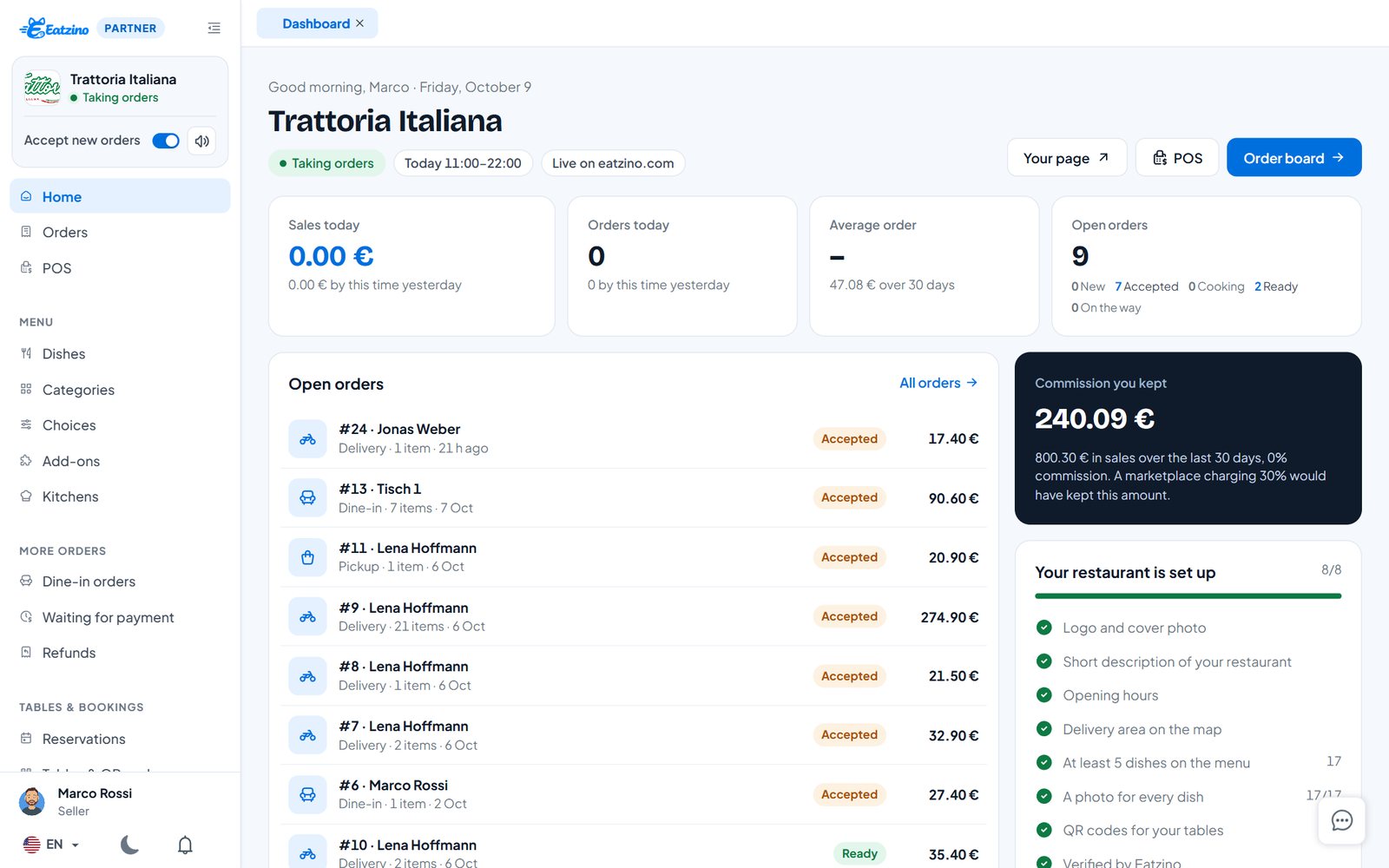
Your whole day on one screen
The home screen of your partner dashboard compares today with the same time yesterday, lists open orders and shows how much commission you kept.
- Sales and orders today vs. yesterday
- Open orders with one click to the board
- Set-up checklist for a complete restaurant page
Questions restaurants ask
Which devices does it run on?
The Eatzino POS app runs on Android tablets and Windows PCs; the same till also works in any browser in your partner dashboard. Usually the tablet or PC you already have is enough.
Is it a certified cash register (TSE / KassenSichV)?
Not yet. Germany and Austria require a certified security module (TSE / RKSV) in every cash register, so there Eatzino POS runs as an order and kitchen app: it takes counter, phone and table orders and prints kitchen tickets, and you take the payment on your certified till. Elsewhere it works as a full till with cash payments and receipts.
How do I get the app?
Download it for Windows in your partner dashboard (Receipts & printing). The Android version is coming to Google Play. We help you set it up with your printer.
Everything you need
Online ordering
Your restaurant page with menu, photos, cart and checkout – delivery or pickup.
Learn moreQR table menu
Guests scan the code on the table, see the menu with photos, order and call the waiter.
Learn moreTable reservations
Guests book a table online without an account – on Eatzino or your own website. You confirm with one tap.
Learn moreWebsite ordering
An order button and your menu on your own website – WordPress plugin or one line of code.
Learn moreKeep what your guests pay.
Sign up in five minutes and set up your menu today. Questions first? Write to us.