
Table reservations
Fill your tables without paying per guest
Guests pick party size, day and time on your restaurant page or your own website – no account, no app. You decide whether bookings need your confirmation, and Eatzino keeps the guest informed by e-mail.
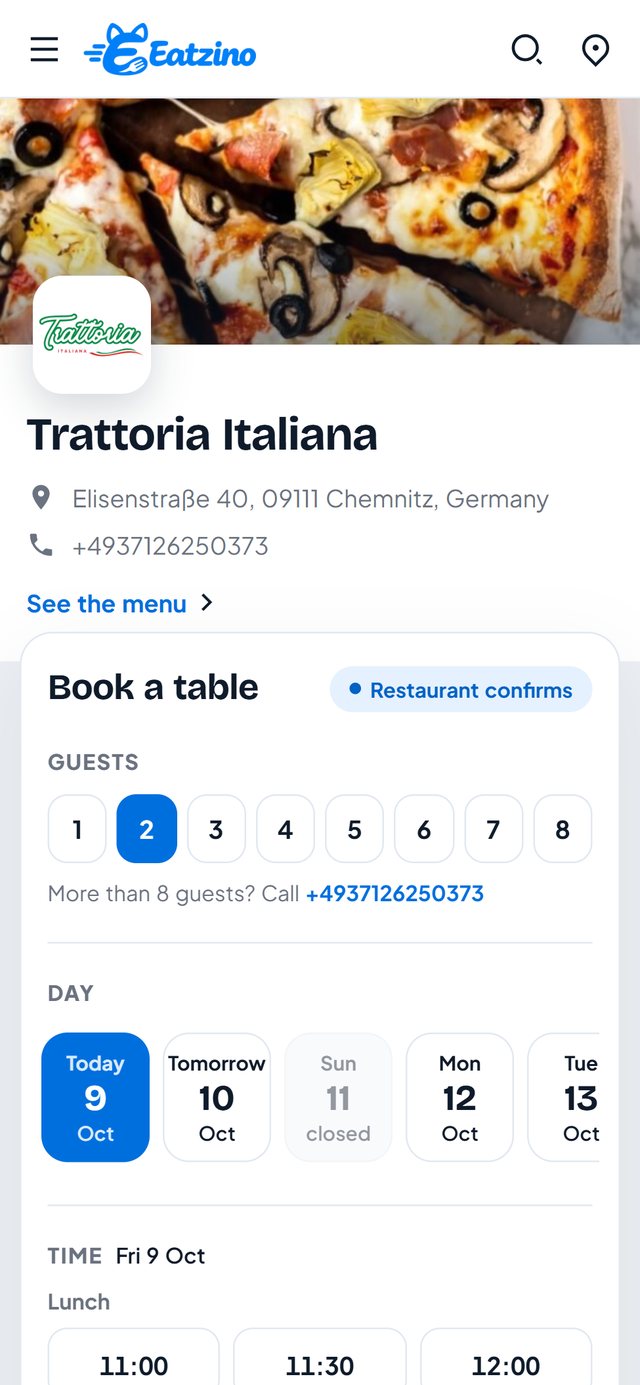
No account for guests
Name, phone and e-mail are enough. Guests get a link to view or cancel their booking.
Your rules
Seats, table time, largest party, how much notice and how far ahead guests may book.
Confirm or book instantly
Accept every request yourself, or let free slots be confirmed straight away.
Follows your opening hours
Time slots come from your opening hours and closed days – in your restaurant's local time.
E-mail and calendar
Guests get a confirmation with a calendar entry; you get an e-mail for every new request.
Phone bookings too
Add bookings taken on the phone, so every seat is counted in one place.
In your dashboard
Every booking on one screen
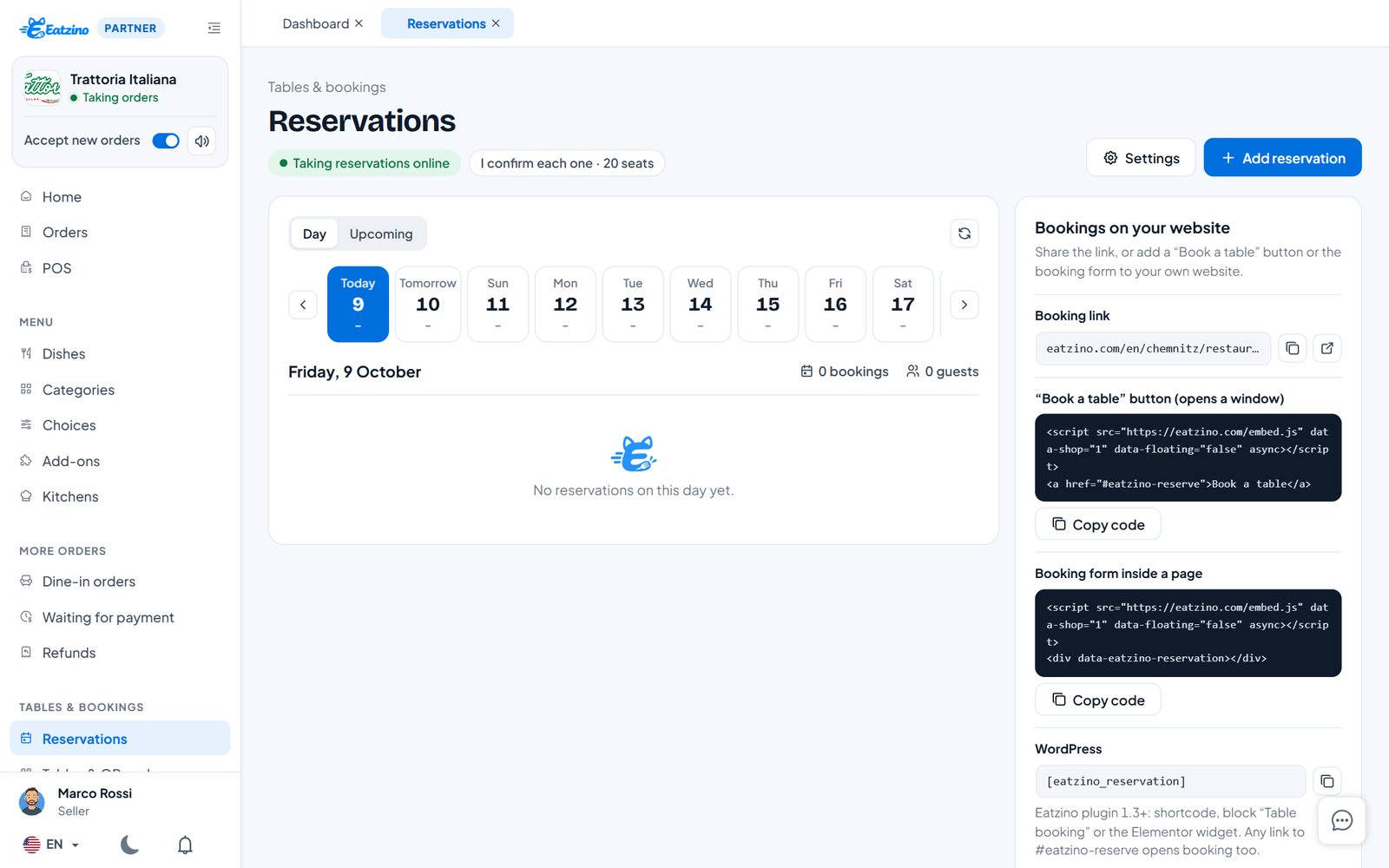
Requests waiting for your answer at the top, a strip with the next days and their bookings, and the list for the day – mark guests as seated or no-show.
- Confirm or decline with a message
- Day and upcoming view
- Booking button and form for your own website
Questions restaurants ask
Does it cost per reservation?
No. Table reservations are included in every package – no fee per guest and no fee per booking.
Do guests need an account?
No. Guests book with name, phone and e-mail and can cancel through the link in their e-mail.
Can guests book on my own website?
Yes – with the WordPress plugin or one line of code you add a "Book a table" button or the booking form to any page.
Everything you need
Online ordering
Your restaurant page with menu, photos, cart and checkout – delivery or pickup.
Learn morePOS system
One till for counter, phone, table and online orders – Android tablet, Windows PC or browser.
Learn moreQR table menu
Guests scan the code on the table, see the menu with photos, order and call the waiter.
Learn moreWebsite ordering
An order button and your menu on your own website – WordPress plugin or one line of code.
Learn moreKeep what your guests pay.
Sign up in five minutes and set up your menu today. Questions first? Write to us.