
Website ordering
Turn your own website into your best-paying channel
Guests who already know you go to your website. Give them an order button there – with your menu, photos and cart – instead of sending them to a platform that charges you for them.
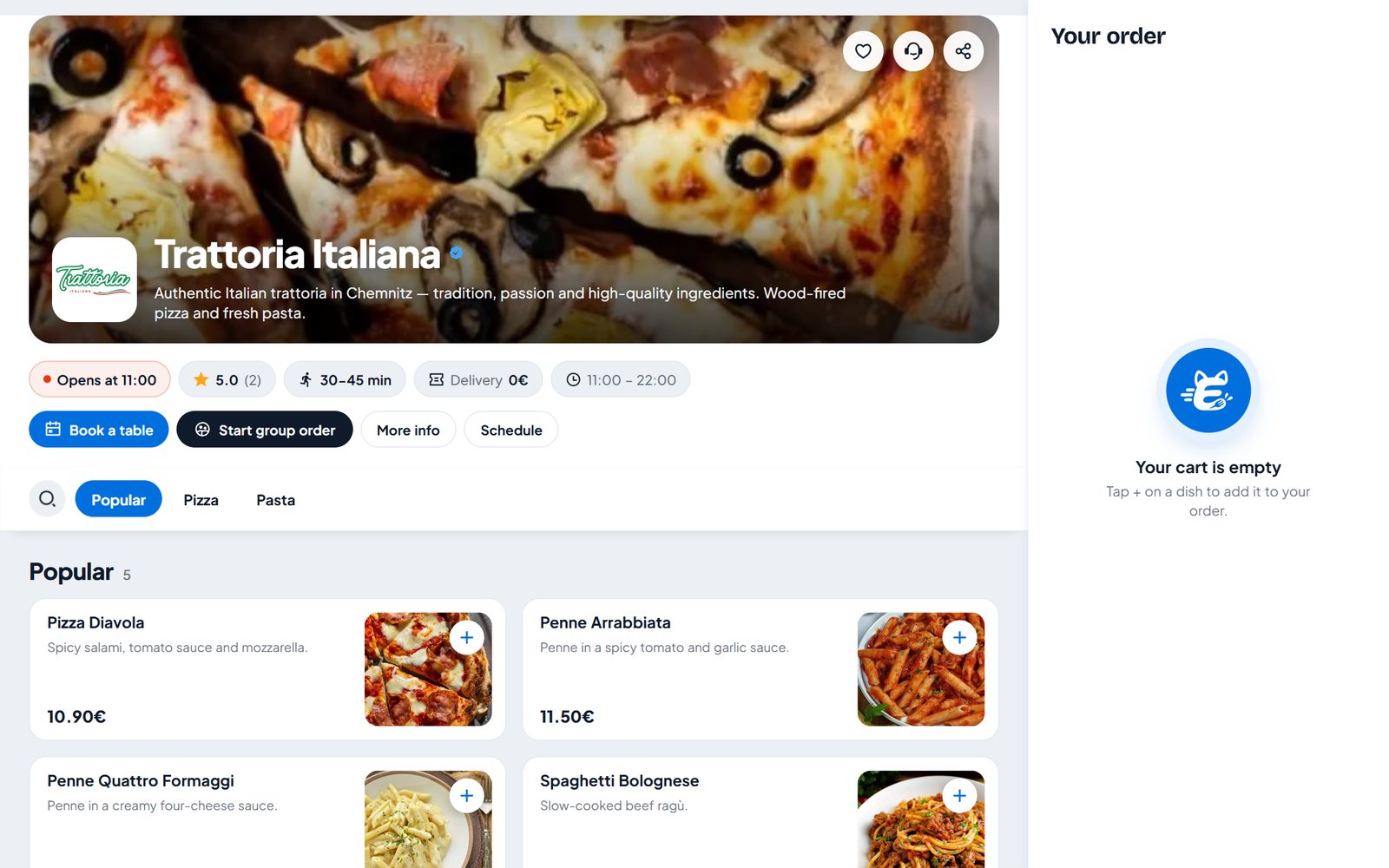
WordPress plugin
Install the plugin, paste your restaurant link, done. Shortcodes, blocks and Elementor widgets for any page – it updates itself.
One line of code
Not on WordPress? Paste one script tag and a floating "Order online" button appears.
Button or full menu
A floating button, your own button, or the whole menu embedded right in the page.
Table booking too
The same widget opens your table booking – as a button or a form inside your page.
Same menu, same orders
It is your Eatzino menu – orders land on the same board as everything else.
0% commission
Every order from your website is yours in full.
In your dashboard
Install it, then let Eatzino check it
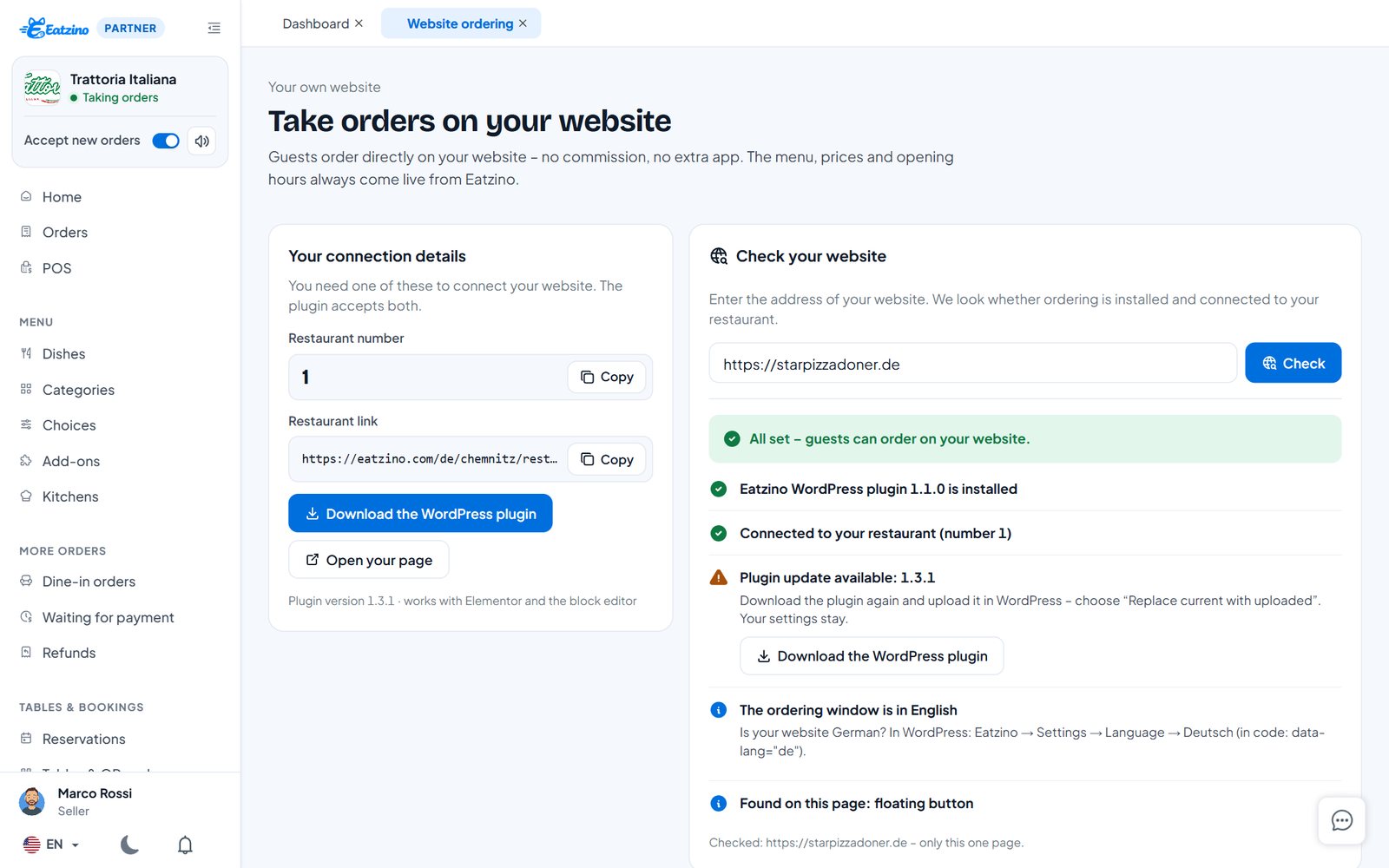
The Website ordering page gives you your restaurant number and link, the plugin and step-by-step guides. Enter your website address and Eatzino checks whether ordering is installed and connected to your restaurant.
- Guides for WordPress, Wix, Squarespace, Jimdo and HTML
- Website check: installed, connected, up to date
- Button designer with a live preview
Questions restaurants ask
Does it work with my website builder?
Yes, with any website where you can add a script – WordPress, Wix, Squarespace, Jimdo or hand-made.
Where does the guest pay?
Checkout opens in a secure Eatzino window, so login and payment work on every website.
Does it cost extra?
No – it is included in every package.
Everything you need
Online ordering
Your restaurant page with menu, photos, cart and checkout – delivery or pickup.
Learn morePOS system
One till for counter, phone, table and online orders – Android tablet, Windows PC or browser.
Learn moreQR table menu
Guests scan the code on the table, see the menu with photos, order and call the waiter.
Learn moreTable reservations
Guests book a table online without an account – on Eatzino or your own website. You confirm with one tap.
Learn moreKeep what your guests pay.
Sign up in five minutes and set up your menu today. Questions first? Write to us.